What playbook software should do in 2026
Ten years ago playbook software meant a drawing tool that exported PDFs. That is table stakes now. The job a staff actually has is a week: film on Saturday, a scouting report by Monday, an install and a practice script by Tuesday, a call sheet and wristbands by Thursday, and eleven players who know their assignments on Friday. Most staffs run that week across a drawing app, a spreadsheet, a print shop and a group chat that never agree with each other. Playbook software earns its name when the play you drew on Sunday is the same object that shows up in every one of those places.
A library, not a binder
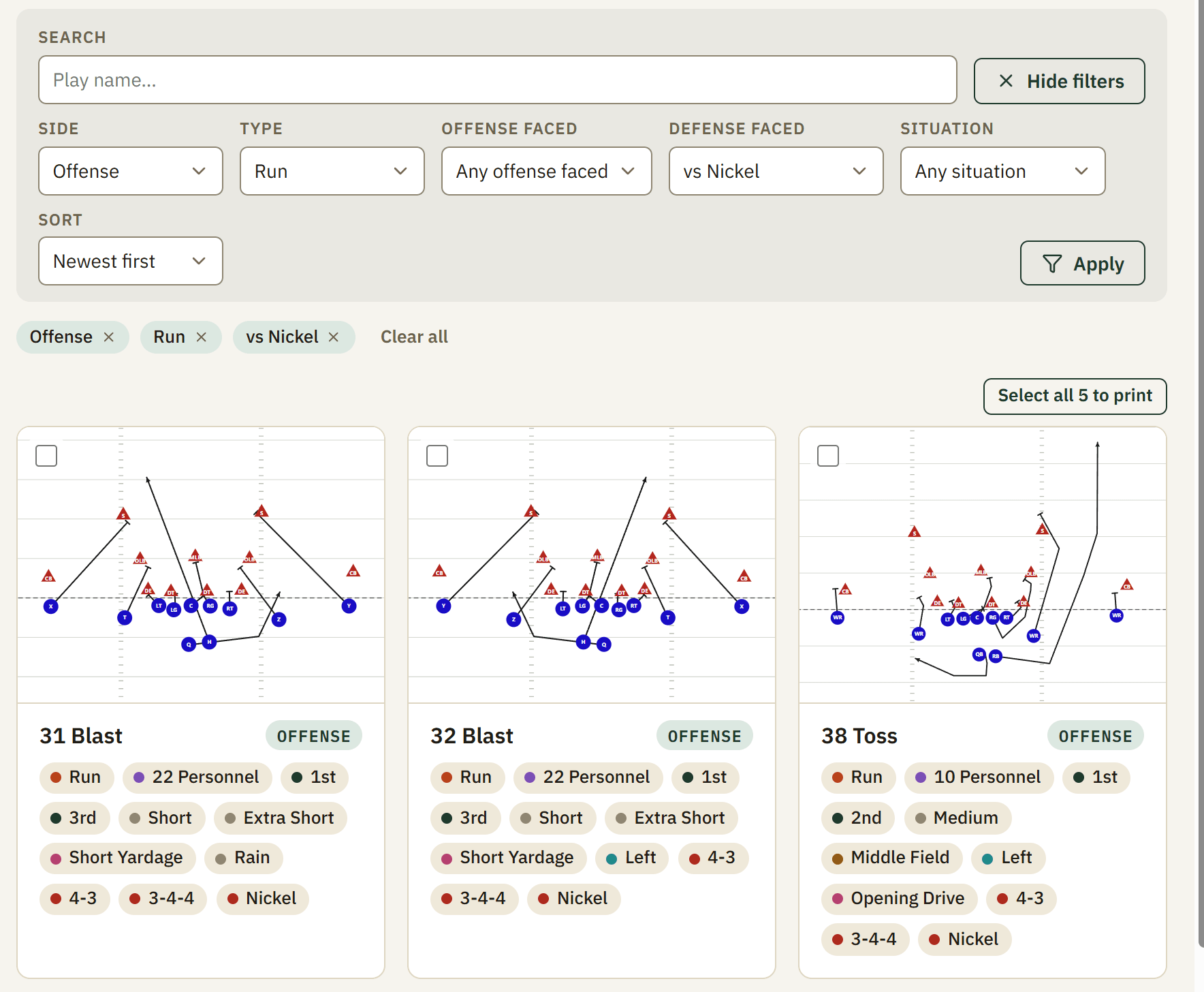
In Script Week every play is one entry with a diagram, coaching notes, a side (offense, defense or special teams) and tags. The tags are the point. Down, distance, field zone, hash, personnel and play type are built in; your program adds its own dimensions, a formation family, an opponent's front, a week. Filters combine, so 3rd and short, left hash, 12 personnel is one query, not a hunt through a binder, and every call sheet box, practice period and scouting look is built by asking the library a question like that.
A play is drawn once and saved against every front you will face, so 32 Blast is one play with a 4-3, a 3-4 and a nickel version inside it rather than three plays drifting apart. Revisions are kept. Archived plays keep their number reserved so an old sheet still reads. Plays other coaches have shared sit in a community library, browsable by category and level, and copy into your playbook in one click.
Game week from the same library
- Scouting — chart an opponent's formations and tendencies, draw the looks you expect, and print a scouting report with game plans drawn against every front they run.
- Practice scripts — timed periods with real clock times, each carrying the plays scripted into it, printed for every coach on the field.
- Call sheets — situation boxes that fill from your tags, numbered per week, laid out to one page, with wristband inserts and a number index from the same sheet.
- Self-scout — the same tendency math pointed at yourself, weighted by what you actually call, with a flag on any situation where you have a tell.
- Game day and the report — tap Ran on the call sheet as you call the game, chart the film against that log on Saturday, and read a game report that says what worked and what to work on, every finding pointing at its snaps.
Teaching it to players
On the Team and Program plans, players get a read-only app: the plays you install, an alert when the plan changes, recognition quizzes generated from your own tags, animation of any play, and short coach-recorded video walkthroughs. They cannot edit anything, and there is no messaging surface for anyone to moderate. A coach sees who has opened what, and the quiz results show which position group is missing which read.
Where it sits next to Hudl
Script Week does not exchange film with other schools, and is not trying to. Hudl owns that. The Film add-on hosts your own game and practice film next to your plays. Script Week is everything around the film: what you drew, what you tagged, what you scripted, what you called and what your players know. Staffs run both, and nothing in Script Week asks you to leave Hudl.
Pricing
- Free: one coach, up to 20 active plays, the full designer with defense variants, tagging, roster and depth chart, printable play cards, one call sheet with its wristbands. No card, nothing expires.
- Coach: $8/mo billed annually. Unlimited plays, call sheets, wristbands, practice scripts and formation templates, plus game charting, grading and video.
- Staff: $20/mo. Up to ten coaches, scouting and self-scout, present mode.
- Team: $33/mo. Adds player accounts with installs, alerts, quizzes and video.
- Program: $70/mo. Every team in a program, varsity to youth, under one bill, with players promoted year over year.
The price you subscribe at is locked for as long as your subscription stays active; increases only ever apply to new signups. Month-to-month billing is available at a higher rate. A feature-by-feature comparison with the other tools a staff might be weighing is on the homepage, and the call sheet comparison guide goes through them one at a time with dated prices.